¶ 개요
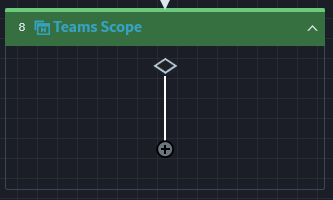
Teams 관련 이벤트 아이템을 사용하기 위해 Scope를 이용하여 Azure에 접속하도록 합니다. Application ID와 Tenant를 필수적으로 입력해야합니다.

¶ ● 속성
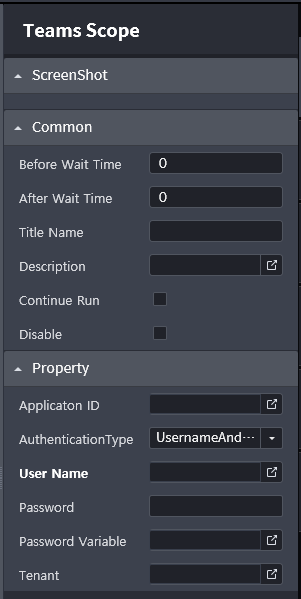
- Application ID
- MS Azure에 설정된 Application의 ID를 입력합니다. (Type: String)
- AuthenticationType
- 로그인 방식을 설정합니다. InteractiveToken, UsernameAndPassword 방식이 있습니다.
- InteractiveToken: 사용자가 Process 동작 중 개입하여 ID와 Password를 입력하여 로그인합니다.
- UsernameAndPassword: ID, Password 값 혹은 변수를 입력하여 사용자 개입이 없어도 동작할 수 있습니다.
- User Name
- 사용자 ID를 입력합니다. AuthenticationType이 UsernameAndPassword 방식 일때만 활성화됩니다.(Type: String)
- Password
- 사용자 Password 값을 입력합니다. AuthenticationType이 UsernameAndPassword 방식 일때만 활성화됩니다.(Type: String)
- Password Variable
- 사용자 Password 변수를 입력합니다. AuthenticationType이 UsernameAndPassword 방식 일때만 활성화됩니다.(Type: SecureString)
- Tenant
- MS Azure의 Tenant ID를 입력합니다. (Type: String)